How to delete a Melbet account
- 18.03.26
- 13
- 0

If you have already tried to delete your Melbet account, you may have noticed that there is no such option in the bookmaker’s personal account. However, this does not mean the profile cannot be deleted, and we will explain how to do it.
Open the main menu
After logging in to the app or on the website, open the menu by tapping the button with the same name. It is located on the main page of the bookmaker in the bottom right corner.

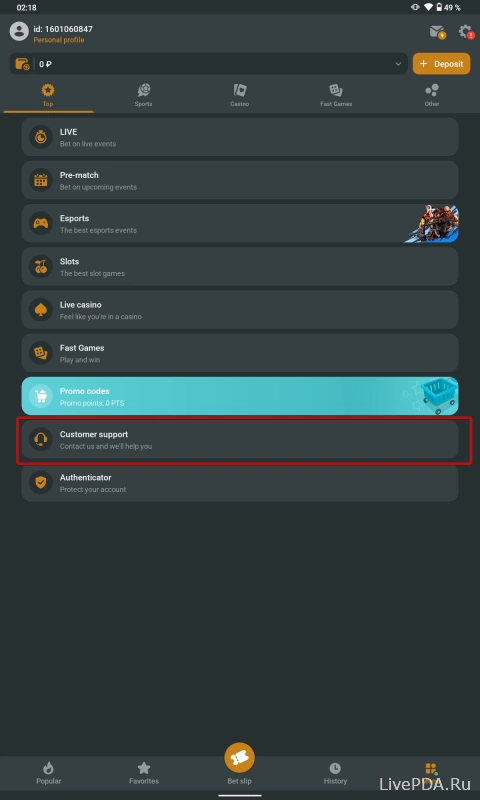
Go to the support section
After opening the menu, you will see the «Top» tab with 9 items. At the bottom, there is the «Cutomer support» section, which is the one you need.
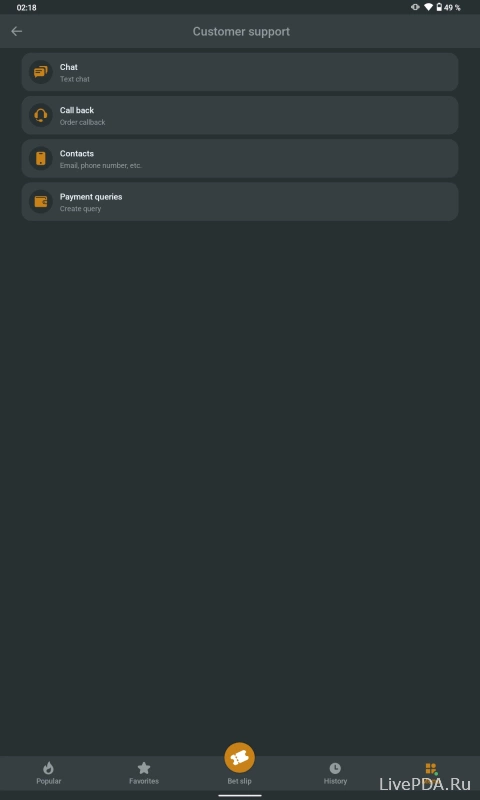
Contact Melbet specialists
To delete your Melbet account, contact the bookmaker’s technical support by email or in any other available way. This section contains all the contact details you can use to send a request for account deletion. After your message is received, the specialists should deactivate your profile, and access to betting will then be closed.