

How to delete a 1xBet account
- 29.03.26
- 14
- 0

In this article, we will explain how to delete an account with the 1xBet bookmaker. This cannot be done manually, so we will describe two alternative methods. Let’s start with the main one.
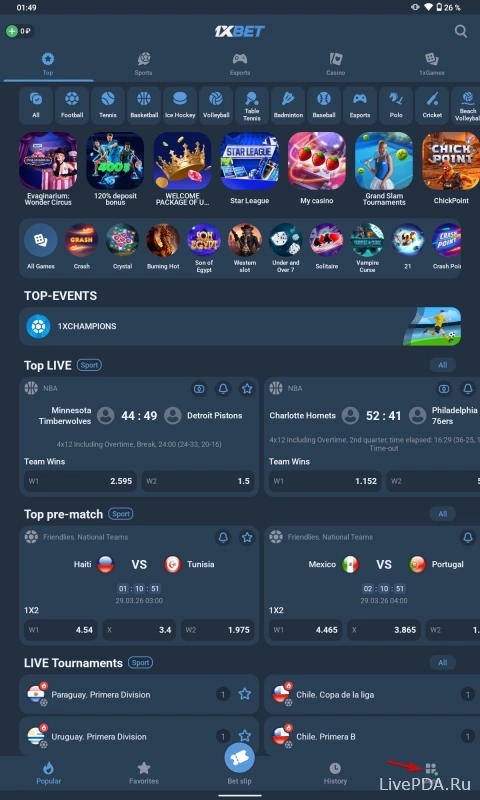
Log in to the app and open the menu
You can download the app from our website to access 1xBet easily. Sign in to your profile and, on the main page, tap «Menu» – the button is located in the bottom right corner.
Open the support page
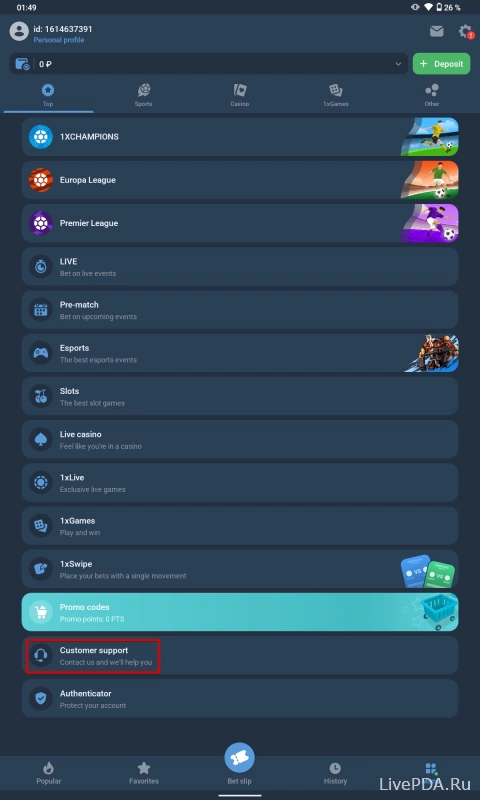
Now, in the tab that appears, scroll down and tap the second-to-last section, «Support».
Send a request
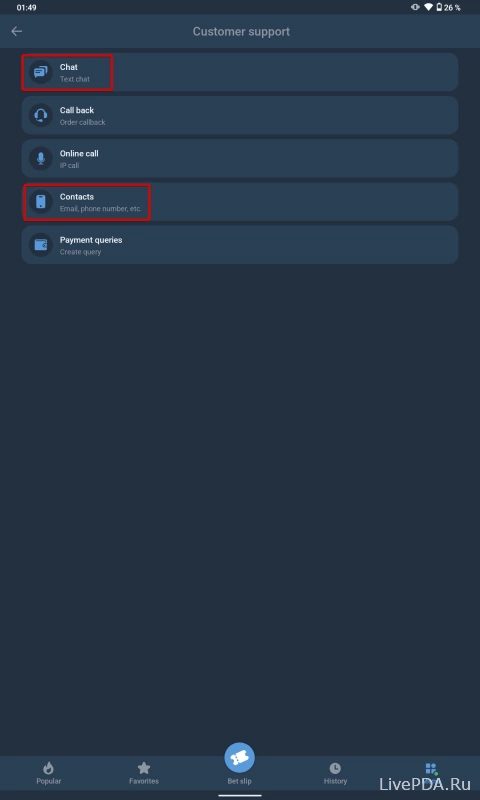
To delete your 1xBet account, send a message to 1xBet technical support. You can do this either by email, which is listed in the «Contacts» section, or directly through the live chat. If your request is approved, the profile will disappear within a few days.
There is also another way to delete your account. Simply do not log in to the website or app for 3 months. The system removes accounts that remain inactive for several months.