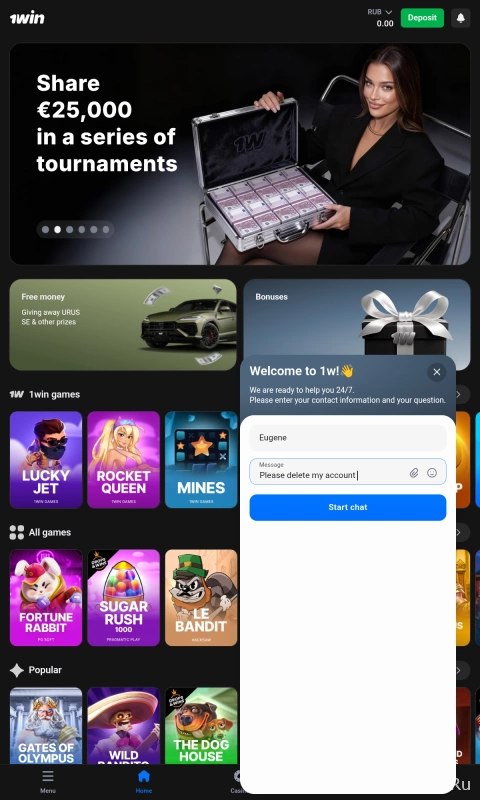
How to delete a 1win account
- 25.03.26
- 25
- 0

The 1win bookmaker does not allow users to delete an account самостоятельно through the personal account. Use our guide to bypass this limitation in another way.
Log in to your profile
Sign in to the 1win app using the account you want to delete.
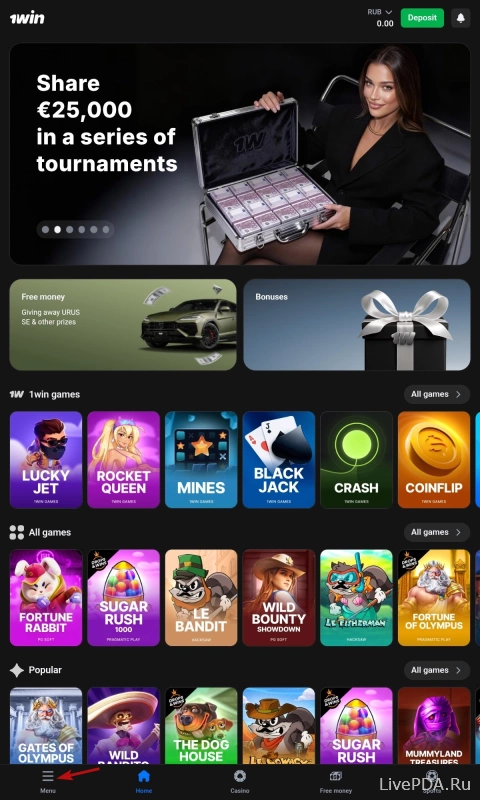
Open the menu
After logging in, go to the menu from the main page. To do this, tap the button with the same name located in the bottom left corner. A side panel will then appear on the screen.
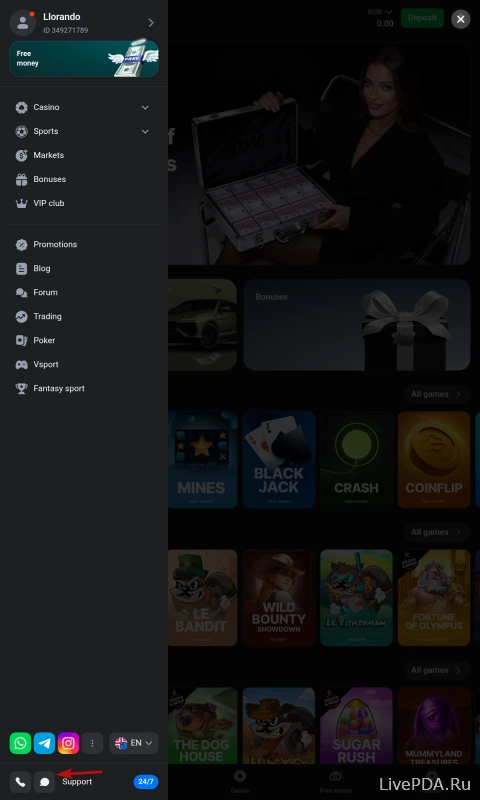
Open the support chat
Look again at the bottom left corner. There you will see two icons – a phone handset and a cloud. Tap the second one to start a conversation with 1win technical support, which works 24/7.
Request account deletion
To delete your 1win account, tell the operator about your intention and explain the reasons. After that, the profile should be deactivated within a few days. The specialist may also ask you for additional information.